Friday, September 9, 2011

write malayalam in your mobile

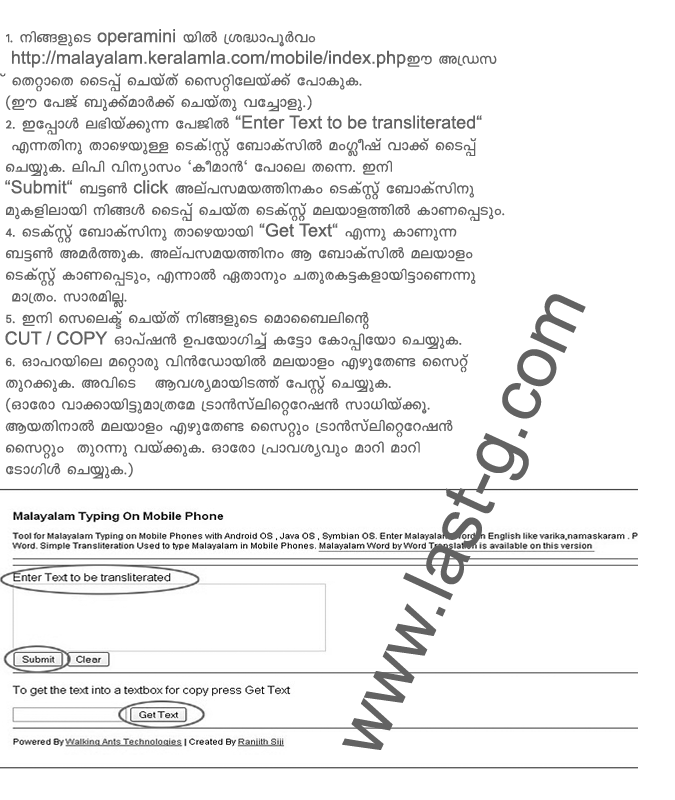
This tutorial for write malayalam inmobile. i think it's Not a possible way Becaus this some difficulty
any way you can try it in just some setup n your mobile
Follow the step below
Now it all
I will back with as soon as possible way for write malayalam in mobile

Thursday, September 8, 2011

How to read malayalam in your mobile

Now you can read malayalam in your mobile and view malayalam font in your mobile please follow a few steps below and setup this in your mobile step
 1- http://www.m.opera.com enter this adres in your mobile browser and download OperaMini in Your Mobile step

 2-open OperaMini in your mobile and type config: or about:config in the adress bar of OperaMini


step-3

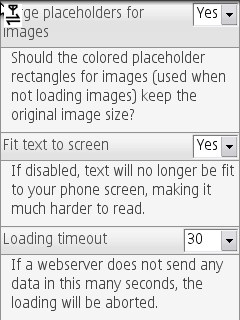
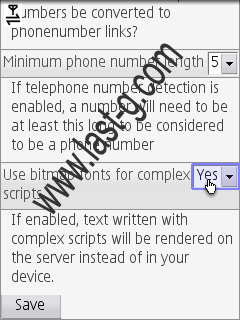
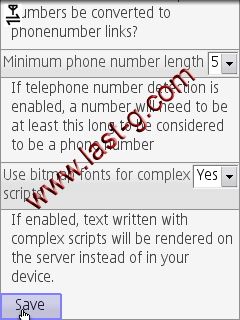
This will Open a Configuration menu as shown in the Screen shot below. Here we will be able to change lot of settings like feedindex, linklists folding etc. In ths menu there will be an entry called "Use bitmap fonts for complex scripts". By default this setting will be disabled. Now change the setting to 'Yes' and click Save..


Scroll Down To find the Option "Use bitmap fonts for complex scripts"

and save it


Now Refresh nore ReOpen any malayalam site and see what happened in your mobile
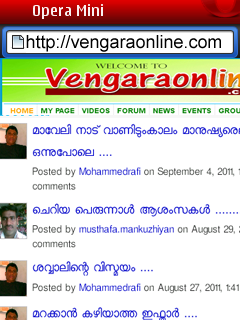


No Ok!!
Tuesday, August 23, 2011

How can Import Facebook Friends to Google Plus

Now Google Introduced a new social network site: Google Plus. But most of peoples are still using Facebook. Because, if they use Google Plus, their Facebook friends will lose. But if we can add all Facebook friends to Google Plus, we can use Google Plus with happy. There is no direct methods to add Facebook friends to Google Plus.. So if you want to add your Facebook friends to Google Plus, Read carefully and follow following steps.....

Google allow to import Yahoo friends to Google Plus.

So first of all, you must have a Yahoo account. Make a new account or Log In in your existing Yahoo account.


After Log In, click on 'Contacts' tab in your Yahoo Mail.

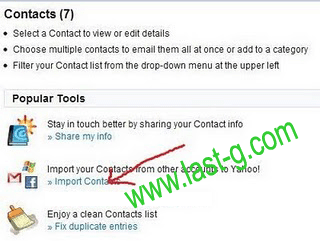
Now you can see a option for importing contacts.... Click on it.

Select Facebook account.

Yahoo will ask your permission, so click okay.


Wait for a minute to import Facebook contacts on your Yahoo account.


Now your all Facebook contacts are successfully imported.
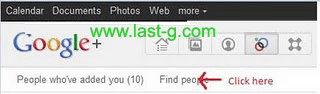
Now open your Google Plus Circle page.
Then click on the link 'Find people'.

Now you can find a link for importing friends for Yahoo!. Click on it.

Now Google Plus is connecting to your Yahoo! account.

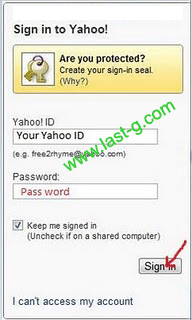
Sign In with your Yahoo Email Id and Password.


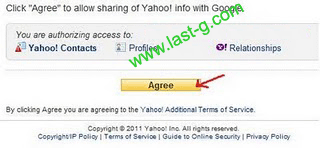
Yahoo will ask your for permission to sharing contacts with Google. Click 'Agree'.

Now Google Plus is connected with Yahoo..


Now all friends in Yahoo( Including Facebook friends) are connected to your Google Plus.
You can add your new friends to Circles by dragging .
But some of your friends are not a member in Google Plus. So you have to invite them to Google Plus. Click ' Invite '

Tuesday, August 16, 2011

MS-Office - EXCEL malayalam tutorial-part-1


MS-Office - EXCEL malayalam tutorial-part-2>>>

MS-Office - EXCEL malayalam tutorial-part-2


MS-Office - EXCEL malayalam tutorial-part-3>>>

MS-Office - EXCEL malayalam tutorial-part-3


MS-Office - EXCEL malayalam tutorial-part-4>>>

MS-Office - EXCEL malayalam tutorial-part-4


MS-Office - EXCEL malayalam tutorial-part-5>>>

MS-Office - EXCEL malayalam tutorial-part-5


MS-Office - EXCEL malayalam tutorial-part-6>>>

MS-Office - EXCEL malayalam tutorial-part-6


MS-Office - EXCEL malayalam tutorial-part-7>>>

MS-Office - EXCEL malayalam tutorial-part-7


MS-Office - EXCEL malayalam tutorial-part-8>>>

MS-Office - EXCEL malayalam tutorial-part-8


MS-Office - EXCEL malayalam tutorial-part-9>>>

MS-Office - EXCEL malayalam tutorial-part-9


MS-Office - EXCEL malayalam tutorial-part-10>>>

MS-Office - EXCEL malayalam tutorial-part-10


MS-Office - EXCEL malayalam tutorial-part-11>>>

MS-Office - EXCEL malayalam tutorial-part-11


MS-Office - EXCEL malayalam tutorial-part-12>>>

MS-Office - EXCEL malayalam tutorial-part-12


MS-Office - EXCEL malayalam tutorial-part-13>>>

MS-Office - EXCEL malayalam tutorial-part-13


MS-Office - EXCEL malayalam tutorial-part-14>>>

MS-Office - EXCEL malayalam tutorial-part-14


MS-Office - EXCEL malayalam tutorial-part-15>>>

MS-Office - EXCEL malayalam tutorial-part-15


MS-Office - EXCEL malayalam tutorial-part-16>>>

MS-Office - EXCEL malayalam tutorial-part-16


MS-Office - EXCEL malayalam tutorial-part-17>>>

MS-Office - EXCEL malayalam tutorial-part-17


MS-Office - EXCEL malayalam tutorial-part-18>>>